Week 4 Notes – Complete the first 1-minute Panorama video
Monday 09/15/2025: Building the first 1-minute Panorama video
After a very lengthy and very productive conversation with Professor Sangmeister last Friday, I am focusing this week on building the first 1-minute Panorama video. The things we discussed ranged from creating simple animations to what would work best for a video intro and outro. The discussion included:
1) Ways to create simple – but effective -animation in After Effects
2) Keying in After Effects
3) Assembling content in Premiere Pro
4) Best way to use text in the video
5) Best way to choose fonts for text in video
6) Different ways to open the video – with a focus on using audio
These were the main things we talked about. The video I produce over this week will be a result of those conversations. Here is the first draft which is not completed -that will happen by the end of the week- but incorporates many of the changes discussed including starting with music and smoother animation for the rhino. It also includes the narration and sound bed. There are still a number of items to be added which will be added on a daily basis.
Tuesday 09/16/2025: Adding more images and text to the video
My efforts tonight focused on adding additional images to the Panorama and text. I will have lots of questions about adding text, but I am thinking this could work out well. The video, at least to me, does not seem to be one-minute long which is a good thing. It seems to go much quicker than that. Again, I will see what Professor Sangmeister says and suggests.
Here are the results of tonight’s efforts. And, importantly, I found that using the “mobile 480SD-wide” codec in After Effects produces the smallest file size among the 480 codecs. This is good since these videos seem to have some lag because of size and because I am uploading them directly to the hosting server. Normally I would upload these to my Vimeo account, but I need to clear some things off there and this seemed convenient. Have said that, the new file size is only around 6.5mb compared to the 25mb I was uploading prior to this video.
Wednesday 09/17/2025: Completing a “first draft” for review.
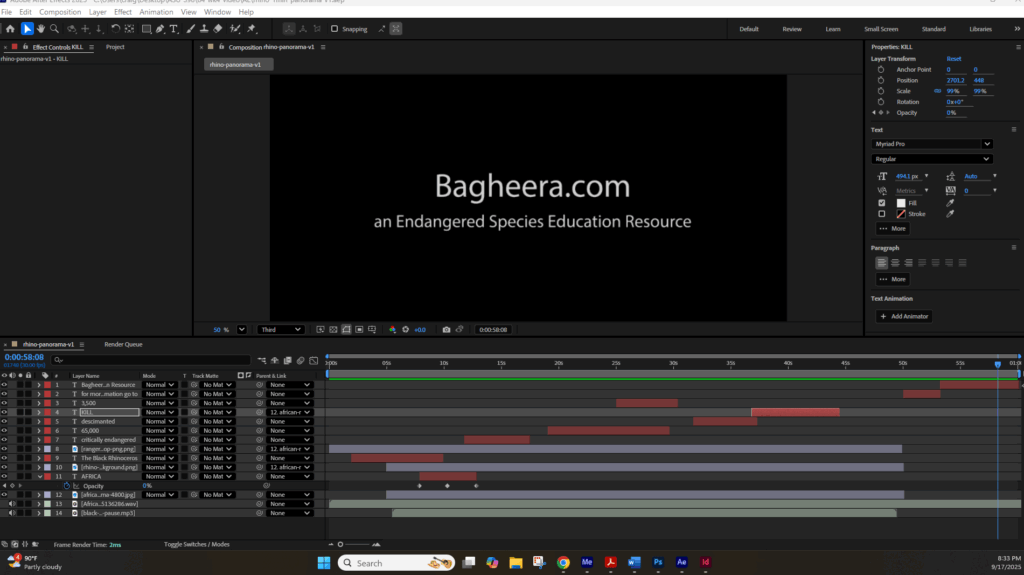
Today’s goal was to tighten up all the elements and create a first draft of the rhino video. The goal is not to have this be the “best” it can be -though that is a good goal- the goal is to have created a “repeatable” platform or video template for a Panorama style video that can be used for an ongoing series of videos of endangered species and other conservation issues.
With this in mind, the elements of this 1-minute Panorama video are:
1) Choosing an endangered or other threatened species
2) Lay out the 5 Beats for the story: species & habitat | conservation status | issue causing endangerment | efforts to save | can it be saved
3) Choose background image for Panorama video
4) Craft a few animal or other related images -in ChatGPT | Photoshop | Microsoft
5) Craft a narration for the video
6) Create or choose a sound bed for the video
7) Prep images in Photoshop to bring into After Effects
8) Assemble all assets in After Effects
9) Add motion to images where effective
10) Add text to video screen which helps to reinforce the narrative
And that is pretty much the 10-step process I used to craft this video. I am looking forward to both review and suggestions by Professor Sangmeister as to the video’s level of effectiveness in its presentation and in its effectiveness as a template for additional Panorama videos.
Here is the “first draft” of the completed video with all the above elements. Please excuse the quality of the video as it is done in Mobile 480 SD-Wide and is only a 6.5Mb file. A 720 file is 25Mb and does not play as well since these have been directly uploaded to the hosting server. This weekend I plan to clean up my Vimeo account and will start posting there which should allow me to post higher quality video for review.
I actually played with the bit rate setting and increased the file size by 2x but the text still came out looking choppy in both the intro and outro. So, I think Vimeo is the best solution.
Thursday 09/18/2025: Questions about 1-minute Panorama and moving on to Title Sequence
Questions for 1-minute Panorama video:
1) Does this Panorama style video resonate?
2) Does it have potential as a style for an ongoing video series featuring other species / issues?
3) What are some -basic- things that would improve this video?
4) Does this video have enough motion to be engaging?
5) Were the into and outro long enough?
6) Was there enough “on-screen” text – or was there too much text?
7) Did the text flow well with the narrative?
8) Was the audio bed appropriate?
9) Was the length of the video -60 seconds- long enough or too long?
10) On average -how long should it take to create a video like this?
Now for the fun part (yikes) crafting Title Sequence Animation videos
While applying any tweaks and suggestions to the Panorama video, I will start work on the Title Sequence Animation style video. No question this will be a bit harder task, however, I am now getting comfortable using Adobe After Effects and so the learning curve -or comfort curve- will not be as high as it was for the Panorama video style. I am going to start this part of this class journey by presenting a Title Sequence Animation video style that I would like to emulate and then creating a list of questions I have about creating that style.
Let’s start with the Title Sequence Animation video style I would like to emulate. The first one is by Paul McDonell for the movie Domina. I chose it because -well first because I have communicated with Paul about his work which I think is amazing- it is primarily still images with only the camera moving. It is very dramatic and impactful and I can easily see the buildings being an ecosystem and the human figure being the face of an endangered species.
Questions:
1) Am I right that this is mostly about camera movement over still images except for the birds and smoke?
2) Is this done using the 3D tools in After Effects?
3) If not, can these effects be done in After Effects?
4) Do you think this style video can be effective for what I am trying to achieve?
The next Title Sequence Animation is for the movie The Beekeeper. And what I like about this one is that the first 45 seconds are primarily still images that are telling a story about bees. I can easily see this idea translating to stories about different endangered species. Much more moving video in this video, but again, so much of the first part was created with still images and effects.
Similar questions as to the first video:
1) Am I right that this is mostly about camera movement over still images except for the birds and smoke?
2) Is this done using the 3D tools in After Effects?
3) If not, can these effects be done in After Effects?
4) Do you think this style video can be effective for what I am trying to achieve?
And this final video primarily uses still images to create the Title Sequence opening. So I am curious as to what you think of this style and if you think it is effective.
And then of course there is the Shogun Title Sequence opening which uses still images in a totally different way. I am curious as to the size of the images they had to use to be able to get all that movement in and around the images. I could see all sorts of endangered species videos created with this style.